

If you have created a funnel in the SmartFlow app but the offer still does not appear on the post-purchase page, don't worry. Here's some troubleshooting you can perform:
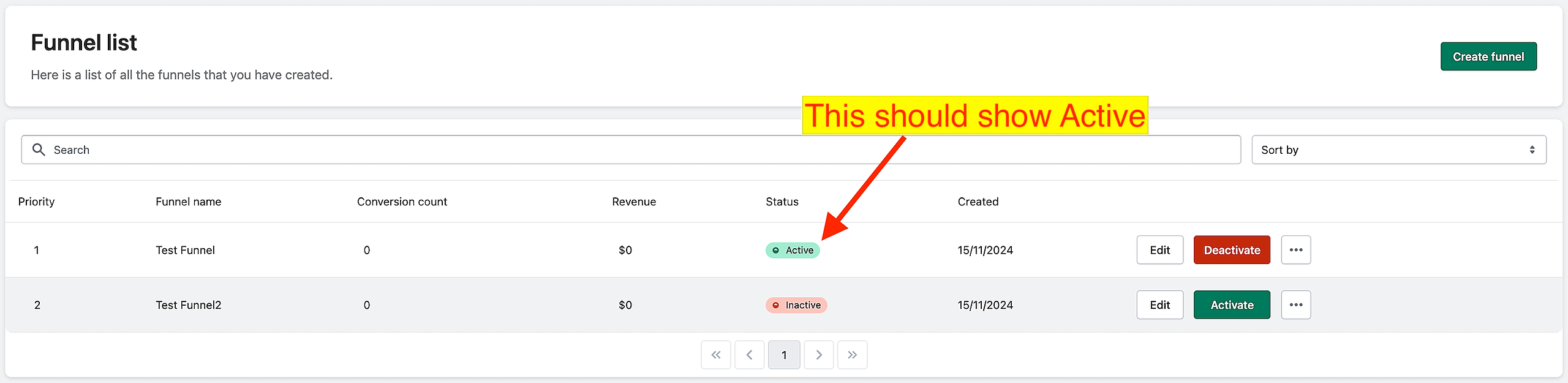
Make sure that the funnel's status is "Active."
Go to the Dashboard/Funnel List.
Refer to the Funnel Name column to find the specific funnel.
Ensure the Status column shows "Active".
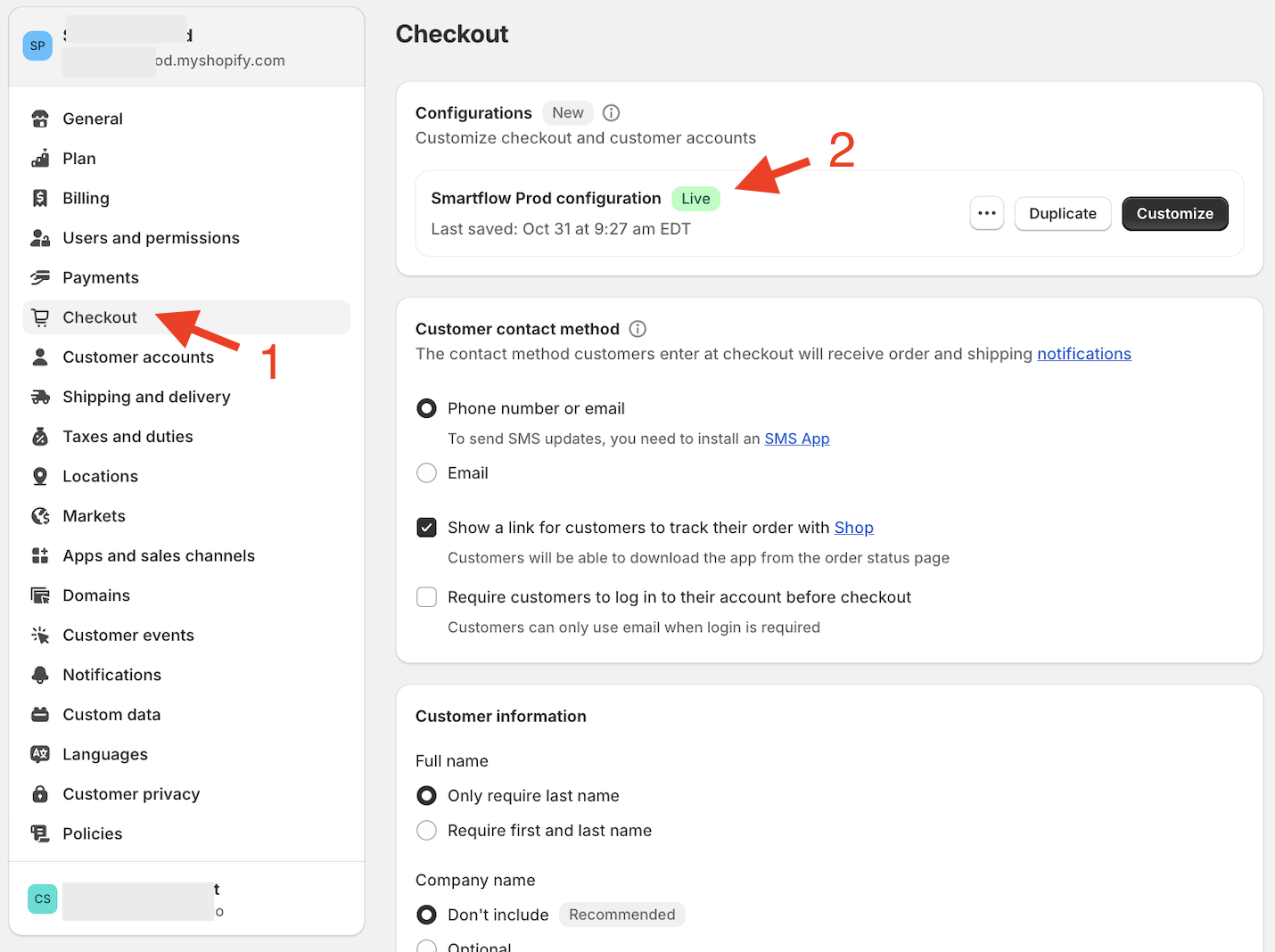
Verify that SmartFlow is properly configured in the Checkout Settings.
Go to your store's Settings.
Navigate to the Checkout tab.
In the Configurations section, ensure the "Smartflow Prod configuration" is visible and showing "Live."
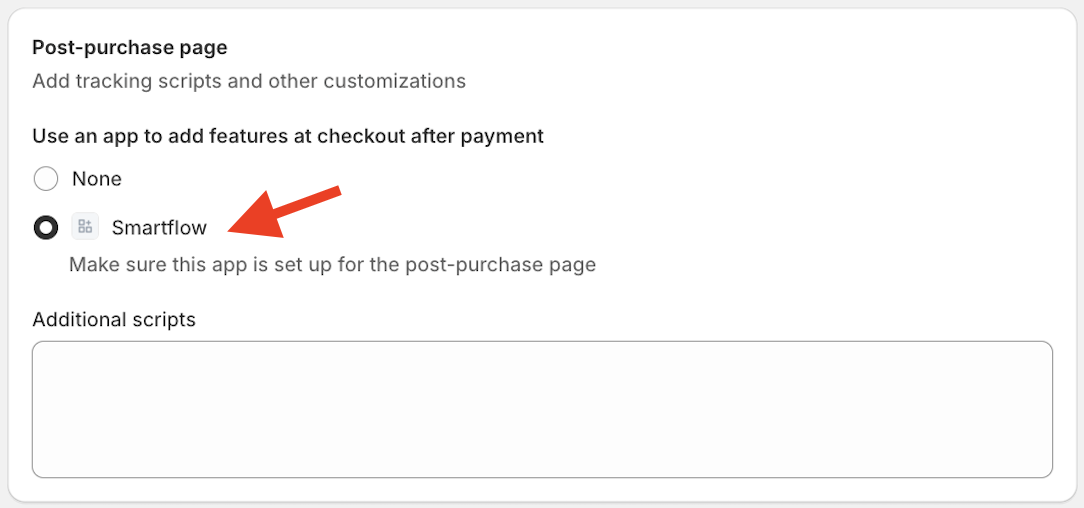
In the Post-purchase page section, find "SmartFlow" and select it.
Make sure to save the changes.
That's it! The offer should now appear.
If you still encounter any issues, please feel free to contact us.
Keywords:
Why isn't my SmartFlow offer appearing on the post-purchase page, and how can I troubleshoot this issue?
What steps should I take to verify the funnel status and checkout configuration in SmartFlow?