

There are two ways to manage your funnel's prioritization:
From the Dashboard
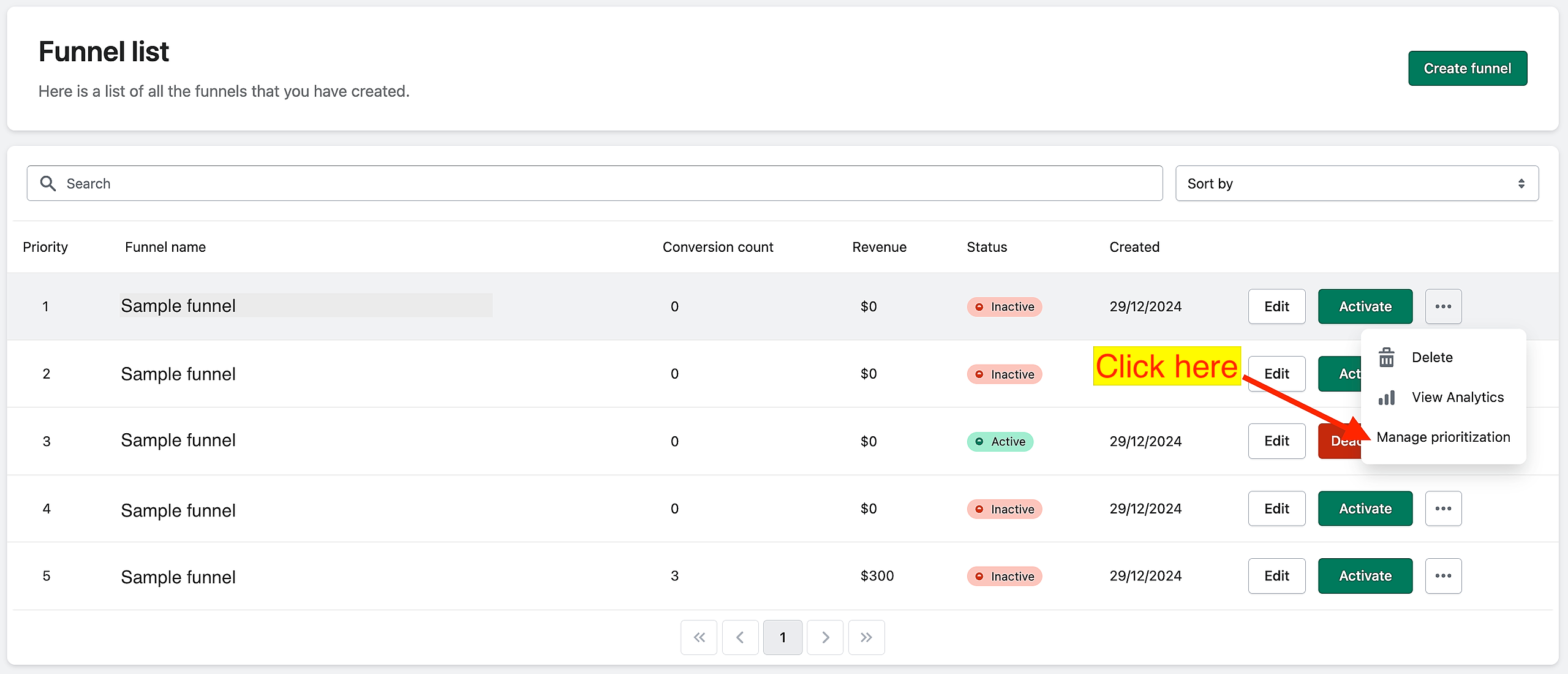
On the app dashboard, find the funnel that you want to prioritize. Choose "Manage prioritization? in the action menu.
This pop-up will appear. Use the Up and Down buttons to increase or decrease the prioritization.
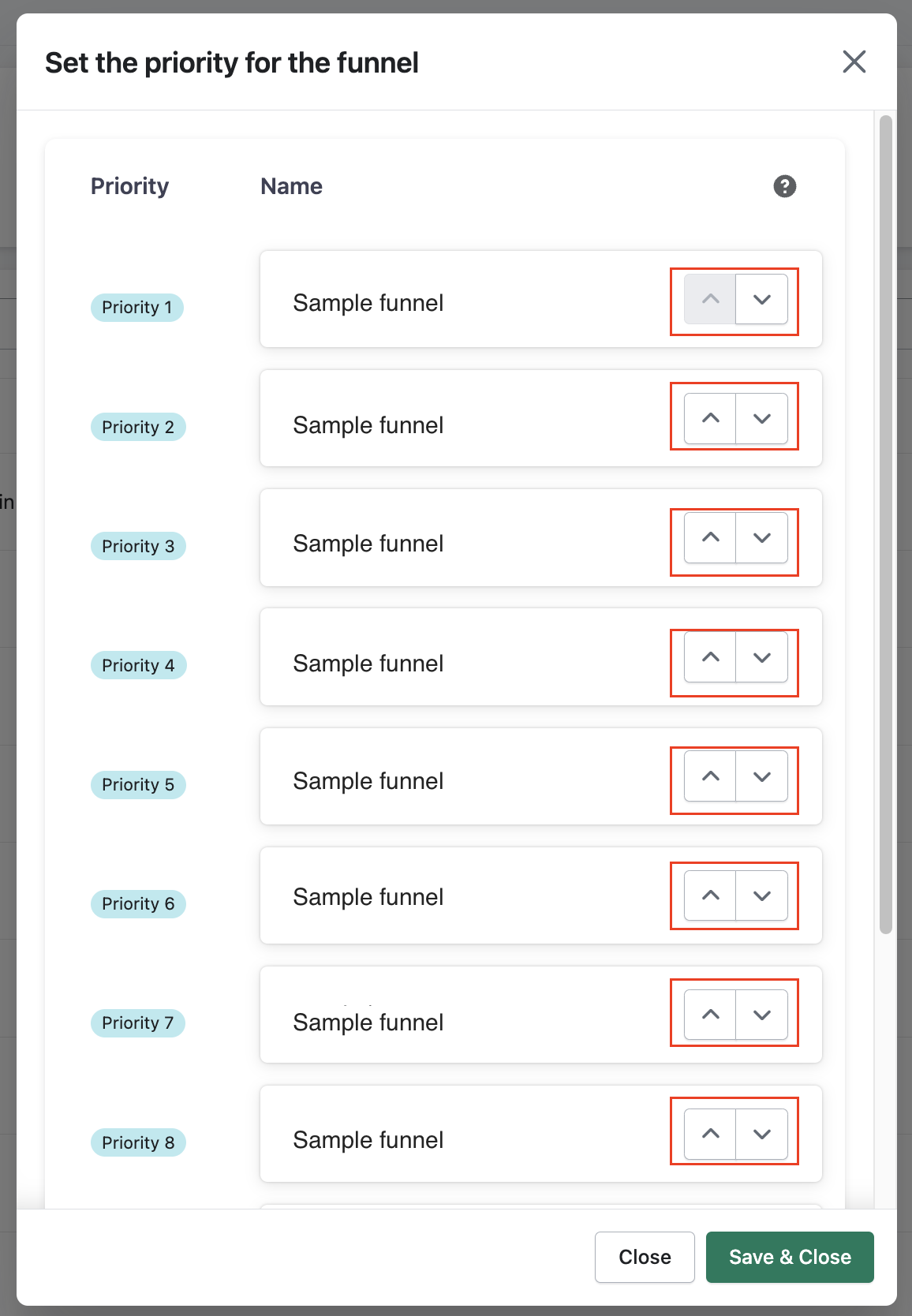
Once done, click on "Save & close".
While creating or editing your funnel
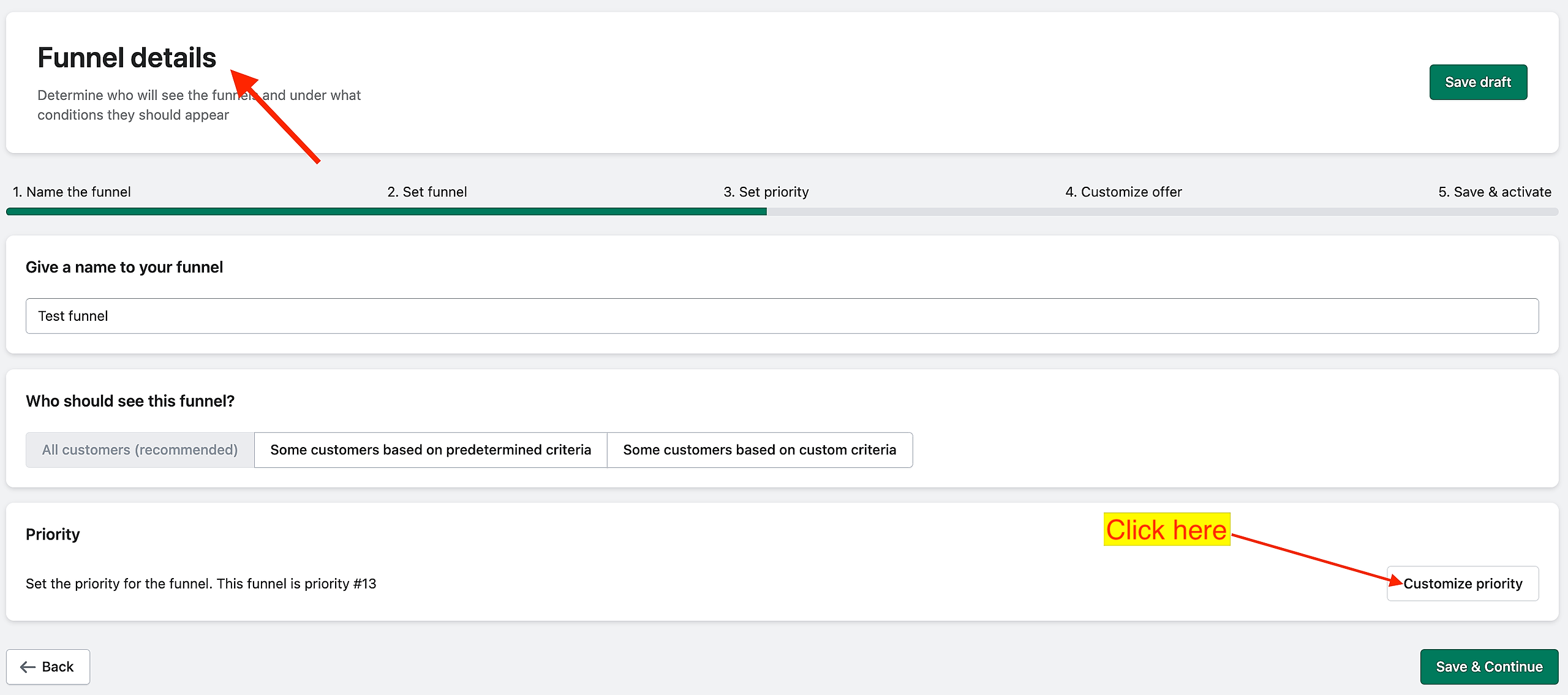
While in the Funnel details page, click on the "Customize priority" button.
This pop-up will appear. Use the Up and Down buttons to increase or decrease the prioritization.
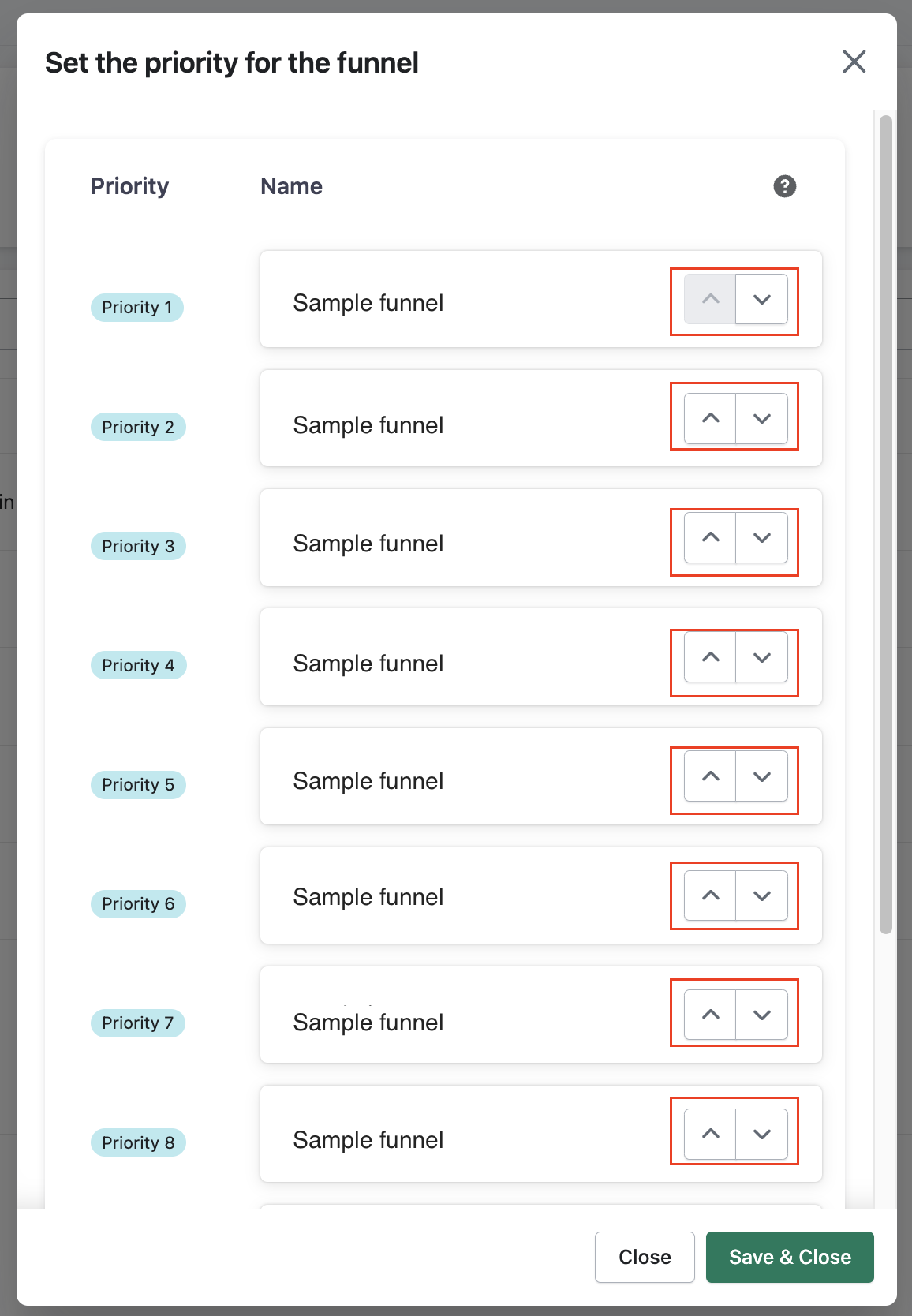
Once done, click on "Save & close"
Keywords:
How do I set or change the priority of a funnel from the main dashboard?
How can I customize the priority of a funnel while creating or editing it?
How to manage Funnel prioritization?